


By / Tarek Rasheed Abdel Majeed Mostafa

To parents and fellow teachers, anyone who wants to register on the Knowledge Bank should follow these steps as shown in the pictures:
1) Type ekb into Google, then search.

2) Click on Egyptian Knowledge Bank.
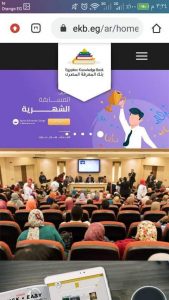
3) The Knowledge Bank screen will appear; click on Register.
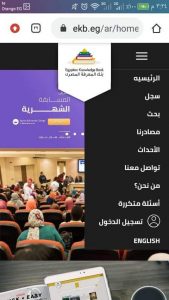
4) Choose the Students and Teachers Portal.

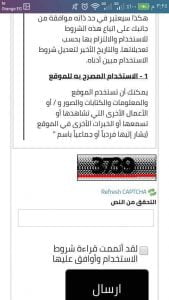
5) A screen to create a new account will appear containing personal information to fill in, followed by professional information where we choose Grade 12. After filling out the personal and professional information forms, we click on “I have read the terms and conditions,” type the four numbers found in the box below it, and then click Submit.
You will notice a green checkmark appear and a message sent to your personal email.

Open the email you registered with, and you will find a message from EKB with “password is” and next to it 6 numbers. Write them down on a piece of paper or copy them.
Then return to the Knowledge Bank screen and select Login. It will ask you to enter the email you registered with and the password, which is the 6 numbers, then click Login. It will ask you for a new password and to confirm it.
The conditions for the new password are that we type at least one capital letter, with the rest of the letters lowercase, alongside numbers, with a length of no less than 8 characters including numbers.



Latest video
تابع معنا تحليل قراءة الصحف اليومية مع الكاتب الصحفي Hany Sallam عبر