


✍️Tarek Rashid Abdelmajid
To create Google Slides:
1) Search for Google Slides on Google.
2) Select Google Slides, where you can create presentations.
3) Click Go to Slides.
4) Click the + icon inside a box.
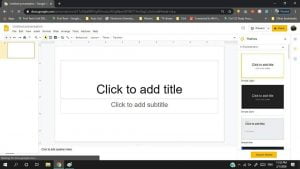
5) A blank presentation will appear.
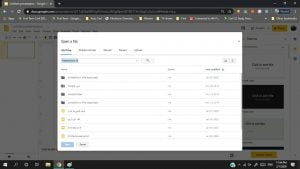
However, if you have a saved presentation on Google Drive that you need to edit or share, click the File menu, choose Open, and select the file from your Google Drive files. If the file is on your computer’s drive, click My Drive, choose Upload file, and select the drive, folder name, and file.
6) Then click Open and wait for the file to upload.
7) Choose the desired slides from the file, edit them, delete some of them, or add content to them.
8) Clicking Share opens a menu containing the presentation link, which you can copy and share with people via email.
9) Clicking Advanced reveals options to share it on Gmail or Facebook, or to invite people by entering their email addresses.
10) Click Done.
11) To run the presentation, click Present.






Latest video
تابع معنا تحليل قراءة الصحف اليومية مع الكاتب الصحفي Hany Sallam عبر