

✍️ Tarek Rashid Abdel Majeed
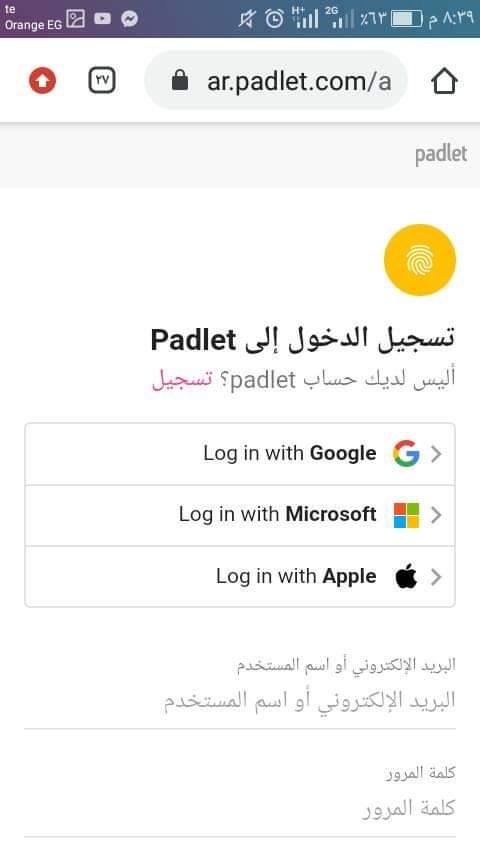
1) Type Padlet into Google.
2) Select log in to Padlet.
3) You will be asked which email you would like to use to sign up
(Google email, Microsoft email, or Apple email).
Choose the email you want to use for registration based on your preference, such as a Google email.
4) Click on the plus sign (+) inside the pink circle
(Make).
5) Choose from the available options, for example, a wall, by clicking the word Select beneath it.
6) Name the wall, such as training or the lesson name, etc., and add a description for the wall.
7) Open comments and reactions, choose the reaction type, and enable the remaining buttons.
8) Click Save.
9) The wall screen will appear showing the name and description.
10) Click on the plus sign (+) inside the pink circle at the bottom right.
11) Enter a title, such as a question like “What do you think of the training?”, and click Share.
12) If you want to create a lesson or questions on the lesson, click the plus sign (+) inside the pink circle again, and so on.
Once finished, you can share it with students by copying the link or sharing it via email, Facebook, or Twitter. Anyone you share it with can comment on or like what you have created.









Latest video
تابع معنا تحليل قراءة الصحف اليومية مع الكاتب الصحفي Hany Sallam عبر